|
||||||||
 |


 |
 |
 |
 |
|
 |
|
 |
|
|
|
|
|
|
|
|
|
||||||||
The Portrait Painter software runs in Excel and the Portraits are produced as Excel spreadsheets. You can easily publish a Portrait as a PDF or a web page (HTML file). Several standard Portrait Painters are available: The Portrait Painter can add or subtract ABS localities to create areas to match your community boundaries as closely as data allows. Operations
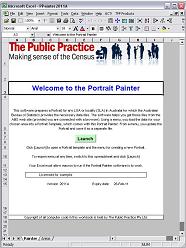
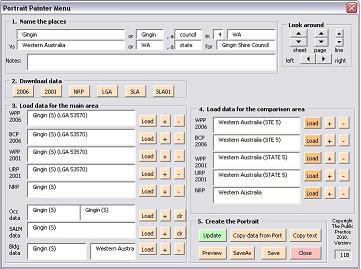
You open the Portrait Painter workbook to show the Welcome page (above). Click the green Launch button to start the program. You are asked to select the Portrait template, which opens with the Portrait Painter menu on top. Using a menu, you enter the name of the community whose Portrait you want to produce. Load the relevant ABS Census data files, click the Update button, and your Portrait is written. View PowerPoint presentation. Read the 2006 User Manual
|
|||||||||||||||||